 vCentriCloud
One portal, two audiences, zero changes to your Proxmox nodes
vCentriCloud sits in front of a Proxmox VE cluster and speaks only to its documented REST API. Everything a client can do is scoped to the servers assigned to them; everything an admin can do spans the whole cluster.
Who it's for
Hosting providers (admins)
Create clients, attach existing Proxmox inventory or provision new resource pools, assign plans and quotas, and manage every server across every client from one dashboard.
Their clients
Sign in to a portal scoped to only the servers they rent — power actions, snapshots, backups, and firewall rules, with no visibility into your cluster beyond that.
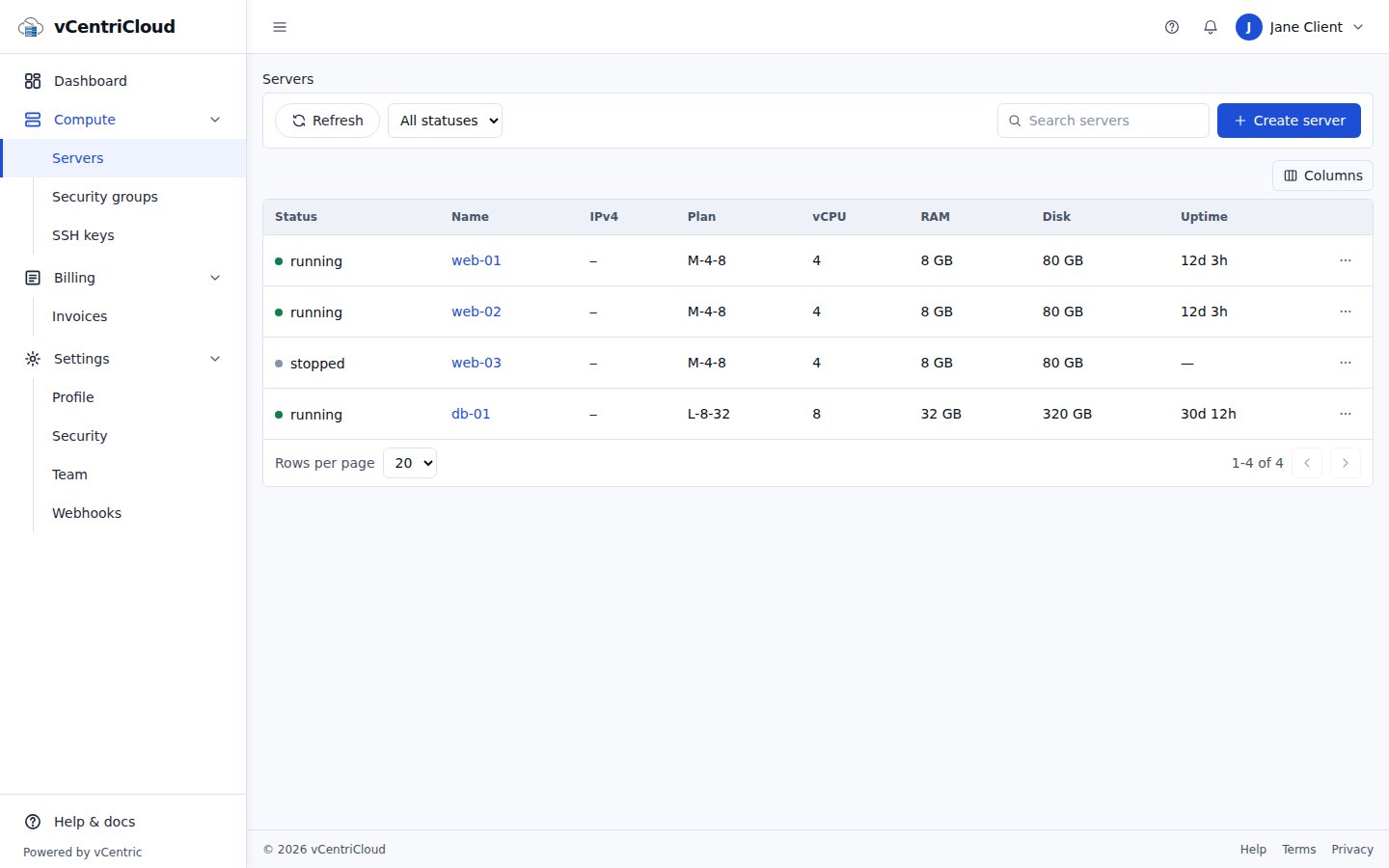
A clear list of the servers a client rents
Status, plan, and resources at a glance, with search, filters, and power actions in a row menu. A client sees only the servers assigned to them — nothing else in your cluster.
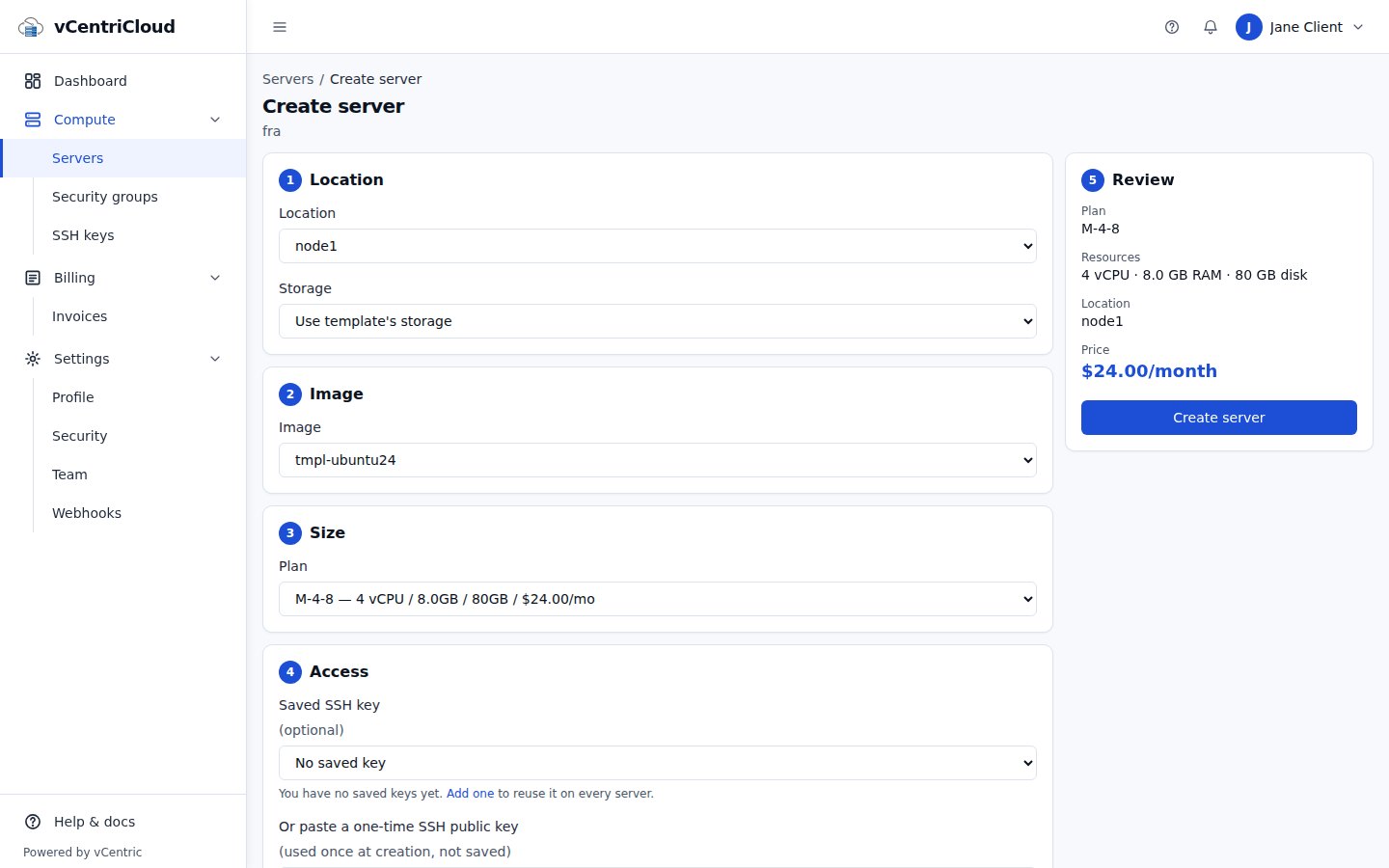
Create servers from your templates
Clients choose a location, an image from your templates, and a plan. Provisioning runs as a tracked task and rolls back cleanly if it fails partway. You can limit which nodes and storage a client may use.
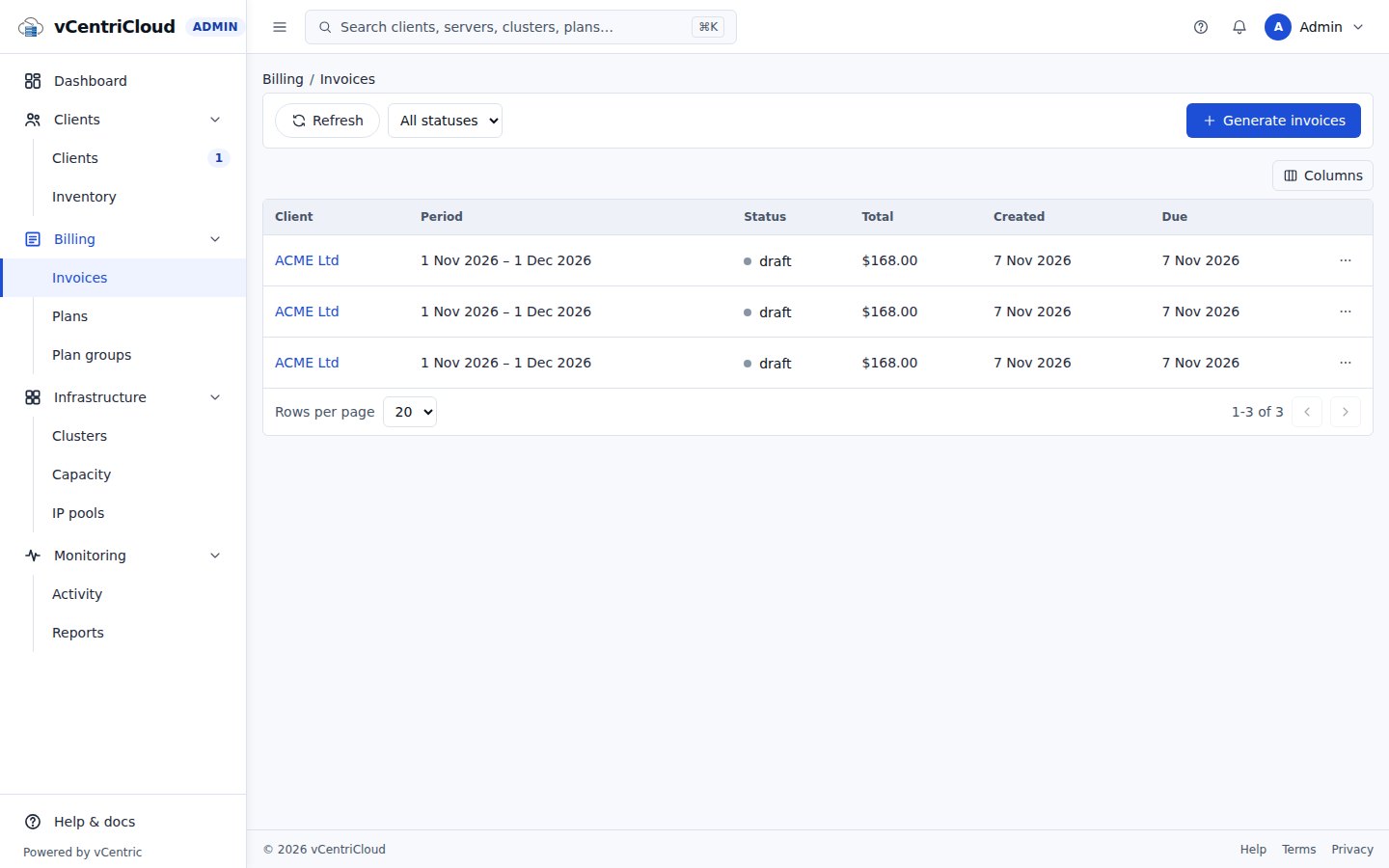
Invoices as records, not a payment processor
Admins generate invoices for a period, with hourly usage capped at the monthly plan price. Clients see their own invoices. There is no payment processing, tax calculation, or dunning yet — those are on the roadmap.
Three planes, one source of truth
See HOW-IT-WORKS.md in the repository for the full technical breakdown.
Portal plane
The Next.js web app and REST API clients and admins interact with. Never talks to Proxmox nodes directly on the data path for reads — it reads its own database, which is kept in sync.
Control plane
A BullMQ worker executes power, snapshot, and backup actions against the Proxmox VE REST API asynchronously, and reconciles portal state against live cluster inventory on a schedule.
Proxmox VE
Your existing cluster, unmodified. vCentriCloud authenticates with a scoped API token — no agent, no node-level install, no cluster configuration changes.
In-browser console access, without exposing Proxmox directly
A dedicated gateway service relays a scoped websocket connection to a server's Proxmox console, so a client never needs direct network access to your cluster to use it.
Console access is part of the platform design and requires a real Proxmox cluster to fully verify end to end — see the security and features pages for what has already been verified against live infrastructure.
vCentriCloud's own tenant model (clients, resource pools, quotas) is purpose-built for a hosting business — not adapted from a generic multi-tenant SaaS template.
Clients, resource pools, and quotas modeled around how hosting actually works
Every client maps to a real Proxmox resource pool. Quotas cap servers, vCPU, RAM, and storage per client, enforced at the moment a server is attached or a plan is assigned — not just displayed after the fact.
Give your clients a real self-service portal for their Proxmox servers
Talk to us about running vCentriCloud in front of your own Proxmox VE cluster.