 vCentriCloud
Self-service control for the servers you rent out on Proxmox
vCentriCloud gives each of your hosting clients a scoped dashboard for their own servers — power actions, snapshots, backups, and firewall rules — while you keep full admin control and nothing new to install on your Proxmox nodes.
- Talks only to the Proxmox VE REST API
- Nothing installed on your Proxmox nodes
- Argon2id password hashing
- Multi-tenant isolation enforced on every request
Every rented server becomes a support ticket
Without a client-facing portal, even routine actions route through you.
Clients email you to reboot a VM
Every routine action becomes a support ticket, even the ones a client could safely do themselves.
No visibility into what a server is doing
Clients can't see task history, snapshot state, or firewall rules without asking you first.
Proxmox's own UI isn't built for clients
It exposes the whole cluster — not a safe, scoped view of just the servers one client rents.
Everything a client needs, scoped to what they own
Each feature below is real, working software — not a mockup.
Power and lifecycle
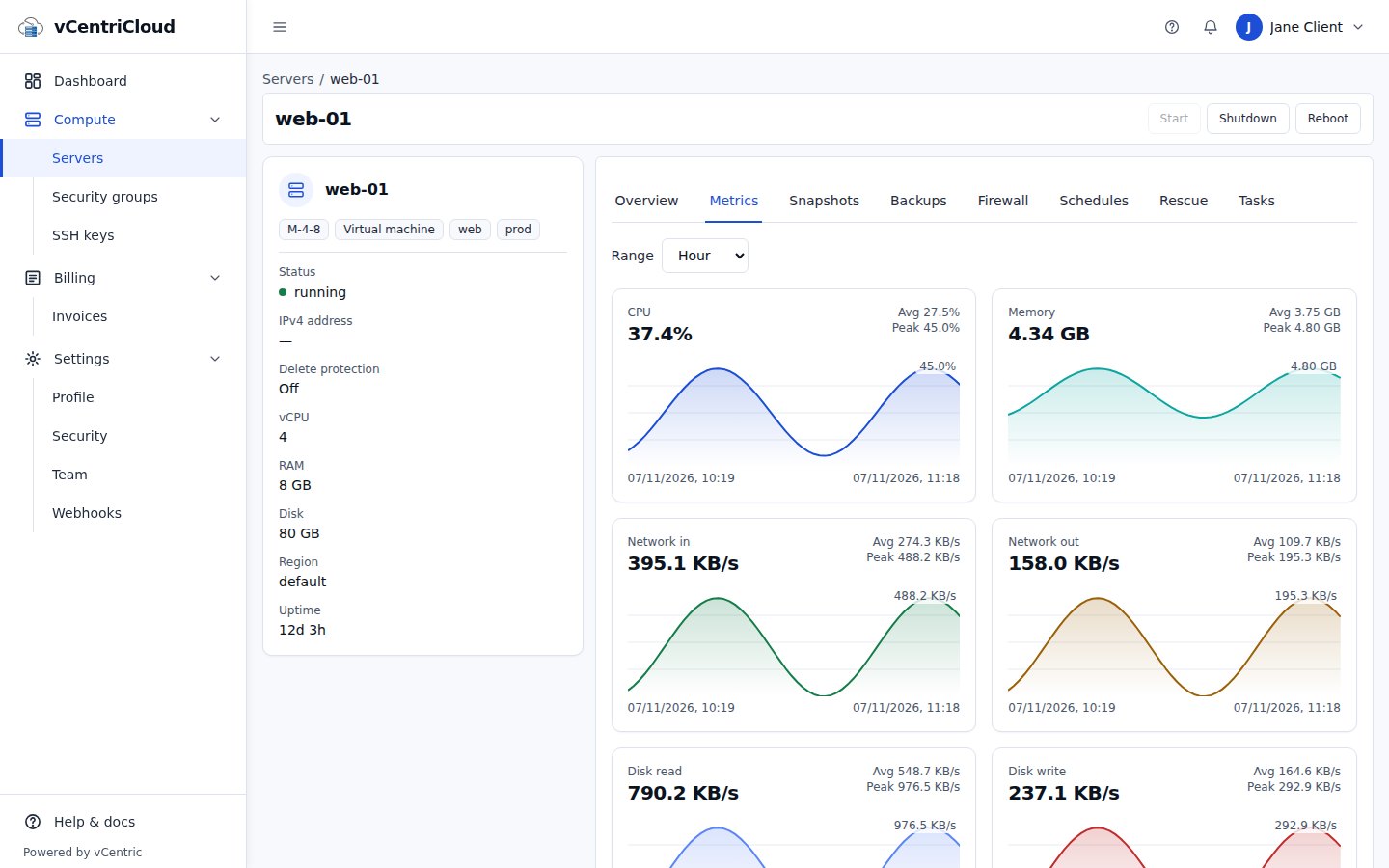
Start, shut down, and reboot rented servers, with every action recorded as a real task and audit entry.
Snapshots and backups
Clients create, restore, and delete their own snapshots and backups, with retention policies and protection flags admins control.
Firewall rules and logs
A scoped rule editor and log viewer per server, without exposing cluster-wide firewall configuration.
Usage graphs
CPU, memory, network, and disk graphs per server, read from Proxmox's own metrics — no separate monitoring agent.
Create servers from templates
Clients provision new servers from your templates, as a tracked task that rolls back cleanly if provisioning fails.
Admin client management
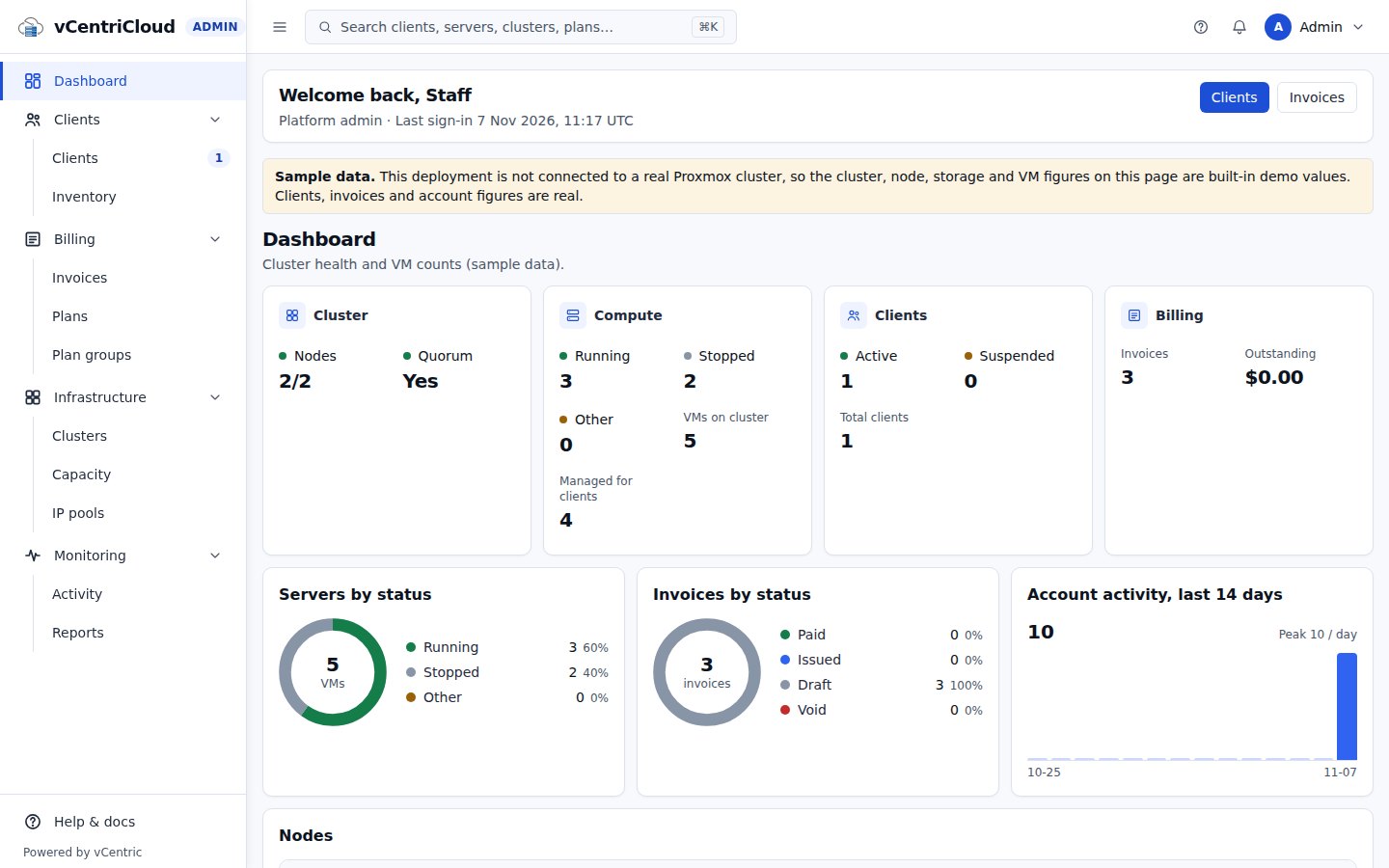
Create clients, attach existing Proxmox inventory, assign plans and quotas, and manage per-client users.
One console for every client and every server
Cluster health at a glance
Node status, CPU and RAM capacity, and server counts, read live from Proxmox.
Quotas that are enforced
Server, vCPU, RAM, and storage caps apply when a server is attached or a plan changes — not just displayed.
An audit trail for every action
Each action is a task and an audit event, including impersonation, which always names the real admin.
Live in three steps
- 1
Connect
Point vCentriCloud at your Proxmox VE cluster's REST API with a scoped API token.
- 2
Attach inventory
Attach existing VMs to the clients who rent them, or create new clients with their own resource pool.
- 3
Hand clients the portal
Clients sign in and manage exactly the servers scoped to them — nothing else in your cluster.
Built with tenant isolation as a first-class requirement
A client can never see, and never gets a permission error that confirms, another client's server. Requests for a server outside a client's scope return a plain 404, matching OWASP API1 (Broken Object Level Authorization) guidance.
- Argon2id password hashing
- Two-factor authentication (TOTP + backup codes)
- Scoped, tested cross-tenant isolation
- SOC 2 — Roadmap
Give your clients a real self-service portal for their Proxmox servers
Talk to us about running vCentriCloud in front of your own Proxmox VE cluster.