 vCentriCloud
What clients and admins can actually do today
Every feature below is built and verified against real infrastructure — not a mockup or a planned capability. See the roadmap section for what isn't built yet.
Self-service for the servers a client rents
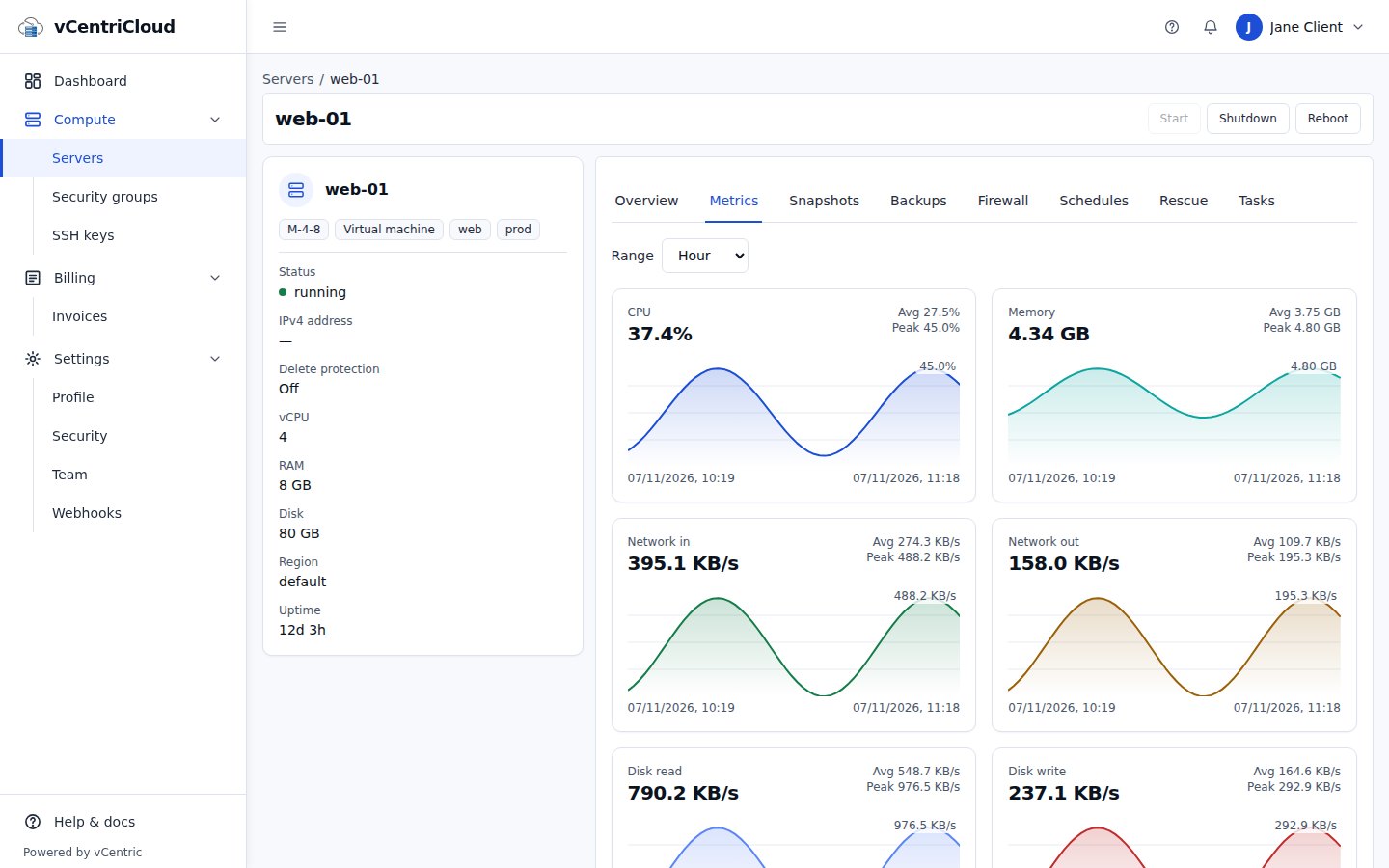
Server inventory and details
A dashboard of every server scoped to a client, with status, tags, and node placement — joined and validated before it ever leaves the API.
Power and lifecycle
Start, shut down, and reboot actions run asynchronously through a real job queue, with a task record and audit event for every attempt, success or failure.
Task history
Every action a client takes against their server is visible as a real task with status, without exposing internal Proxmox correlation ids.
Snapshots and backups
List, create, delete, and restore snapshots and backups. Admin-configured scheduled backups with retention, and per-backup protection against accidental deletion or pruning.
Firewall rules and log
A per-server rule editor that treats the ruleset as one document to avoid Proxmox's own position-drift problem, plus a read-only log viewer.
Usage graphs
CPU, memory, network, and disk graphs over the last hour to year, read from Proxmox's own metrics store.
Create servers from templates
Clone a template into a new server as a tracked task, choosing location, image, plan, and (where allowed) storage. A failed provisioning rolls back instead of leaving a half-built server.
Rescue mode
Boot a server from a rescue ISO, boot once from an ISO, or reset a guest's root password through the guest agent.
Account security and data export
Two-factor authentication, a sign-in history for your own account, and a one-click export of your account's data as a JSON file.
Full control across every client
Client management
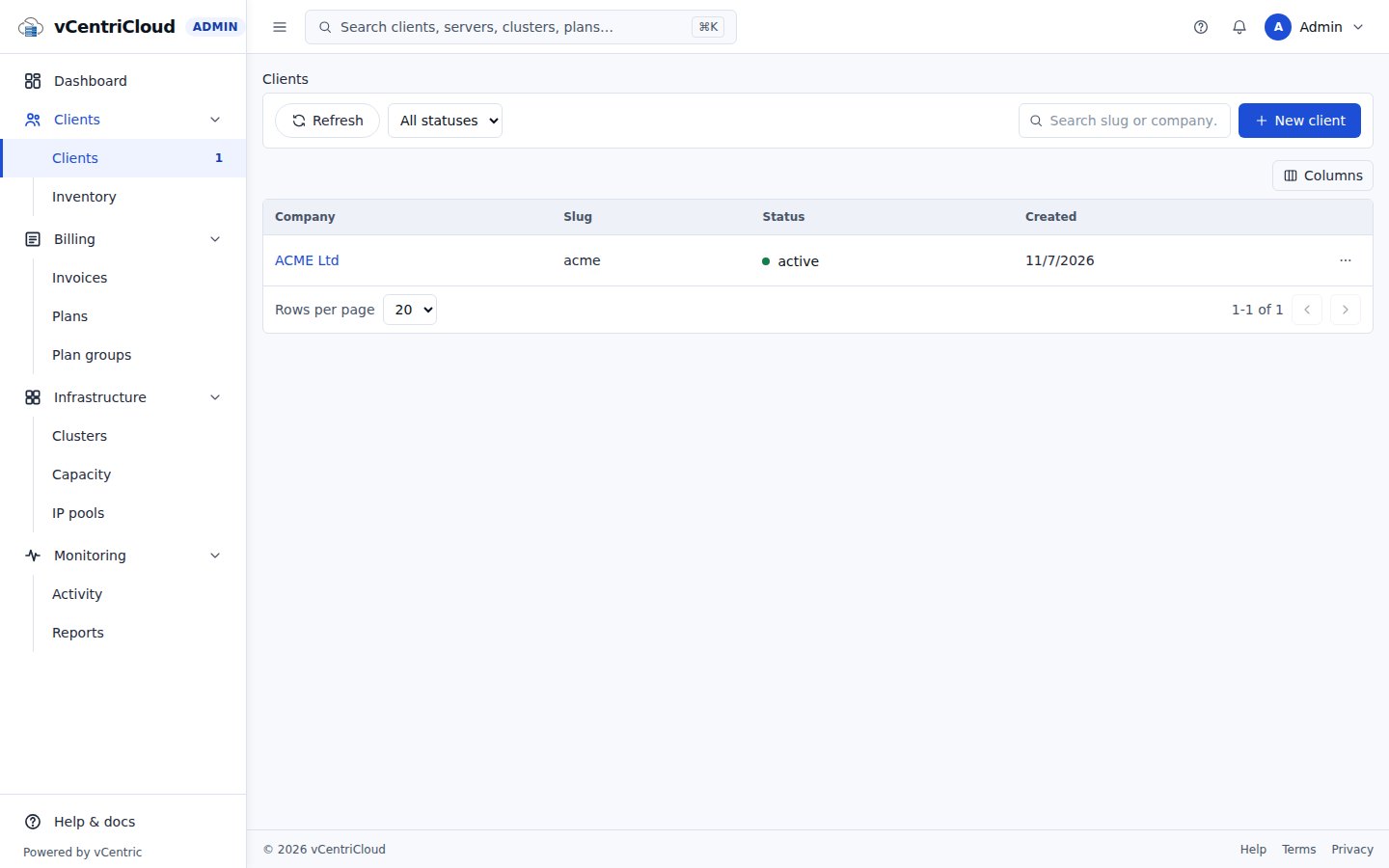
Create clients (with a real backing Proxmox resource pool), search and filter, tag and suspend or unsuspend, and view an aggregated client profile.
Attach existing inventory
Find VMs that exist in Proxmox but aren't yet tracked by the portal, and attach them to the client who should own them.
Admin dashboard
Cluster quorum and node health, per-node CPU/RAM capacity, running/stopped server counts, and recent task activity.
Quotas and plans
Cap servers, vCPU, RAM, and storage per client, enforced — not just displayed — at attach and plan-assignment time, with real concurrency-safe locking. Changing a server's plan updates the VM's vCPU and RAM in Proxmox too.
Per-client placement limits
Restrict which nodes and storage a client can provision on, and reserve a VMID range for their servers.
Invoicing records and pricing tiers
Generate invoices for a period with hourly usage capped at the monthly price, per-client pricing tiers, and payment terms. Records only — no payment processing.
Impersonation and 2FA reset
Sign in as a client user for support, using Better Auth's own impersonation mechanism so the audit trail always names the real admin — and reset a locked-out user's two-factor authentication.
Not built yet
- RoadmapPasskey authentication
- RoadmapClient-facing API keys for automation
- RoadmapFirewall security groups and IP sets
- RoadmapOnline payments, tax calculation, and dunning
- RoadmapIn-browser console (needs a real Proxmox cluster to verify)
- RoadmapSub-accounts and reseller hierarchies
Give your clients a real self-service portal for their Proxmox servers
Talk to us about running vCentriCloud in front of your own Proxmox VE cluster.